VoiceStudio Is the Free ElevenLabs Alternative That Keeps Your Voice Local
VoiceStudio is a free, open-source voice platform that runs core speech workflows on your computer, including voice cloning, multilingual TTS, dubbing, transcription, audiobooks, an OpenAI-compatible API and an MCP server.
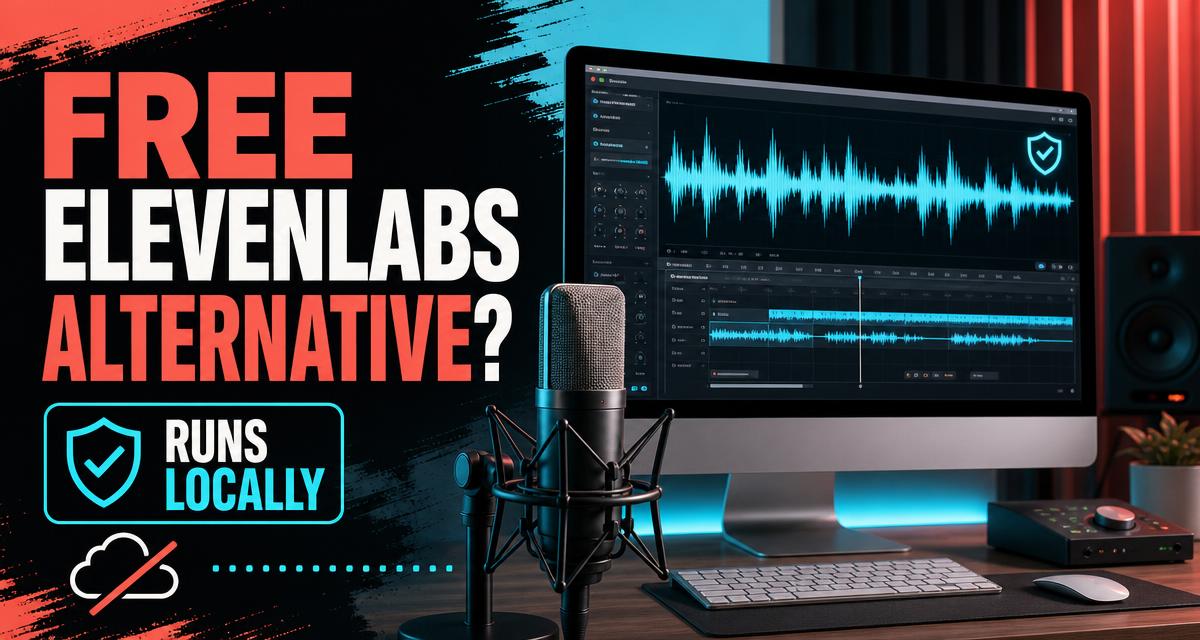
Quick answer: VoiceStudio is a compelling free ElevenLabs alternative for people who value privacy, local control and unlimited self-hosted use. It combines voice cloning, multilingual text-to-speech, video dubbing, transcription, audiobook creation, an OpenAI-compatible API and an MCP server in one desktop application. The trade-off is that your own computer supplies the processing power, setup can be heavier than a cloud service, and output quality varies by the speech engine you select.
VoiceStudio entered active beta in 2026 as an open-source desktop workspace for speech production. Instead of uploading a recording to a subscription platform, creators can run the core workflow on Windows, macOS or Linux and keep source audio and generated files on their own machine. Its official repository currently describes support for 646 languages across 16 text-to-speech engines and 11 speech-recognition engines.
That makes VoiceStudio relevant to YouTubers, audiobook producers, developers, podcasters, localization teams and privacy-conscious businesses. It is not automatically better than ElevenLabs in every voice or language. It is a different proposition: more control and no per-character meter, in exchange for local hardware requirements and a product that remains in active beta.
Bottom line: Choose VoiceStudio when local processing, open-source access and workflow flexibility matter more than instant cloud convenience. Choose a mature hosted service when you need consistent output across a team without managing models or computer resources.
01What is VoiceStudio, and why is it trending now?
VoiceStudio is a free, open-source application for creating and transforming speech on your own computer. Its interface brings together tasks that normally require several separate tools: generating speech, cloning a reference voice, designing a new voice, transcribing recordings, dubbing video and producing long-form audiobooks.
Interest is growing because the AI voice market has a clear tension. Creators want expressive speech and fast cloning, but many do not want recurring fees, usage caps or sensitive voice recordings processed remotely. VoiceStudio addresses that gap with a local-first design and an AGPL-3.0 license.
The project was formerly known as OmniVoice Studio and was still labeled active beta in its official materials in September 2026. That status matters. The feature list is broad, but users should expect rapid updates, occasional compatibility issues and differences between engines. A beta label is not a reason to dismiss the software; it is a reason to test it with a real project before making it central to a production workflow.
02Is VoiceStudio really a free ElevenLabs alternative?
Yes, with an important qualification: VoiceStudio can replace several common ElevenLabs workflows without a subscription, but it is not a one-for-one copy of ElevenLabs.
| Decision point | VoiceStudio | Typical hosted voice platform |
|---|---|---|
| Price model | Free, open source; your hardware bears the compute cost | Free allowance or paid subscription and usage limits |
| Processing | Core workflows run locally | Audio is normally processed on provider infrastructure |
| Voice cloning | Zero-shot cloning advertised from a short reference | Usually available with account and plan limits |
| Languages | 646 listed across multiple TTS and ASR engines | Coverage depends on the provider and selected model |
| Setup | App installation plus local model downloads | Sign in and use a browser or API |
| Speed | Depends on GPU, CPU, model and first-load time | Depends on network and provider capacity |
| API | Local OpenAI-compatible REST, SSE and WebSocket interfaces | Hosted API with usage billing |
| AI-agent use | Built-in MCP server | Usually requires API integration |
| Privacy control | Files can remain on your device | Governed by the provider's data policy |
The strongest reason to try VoiceStudio is not simply that it is free. It is that the product gives users control over where their voice data is processed and how the speech stack is connected to other applications. There are still real costs: storage, electricity, download time and possibly a stronger computer for faster generation.
03What can VoiceStudio do?
Clone a voice from a short sample
VoiceStudio advertises zero-shot voice cloning from as little as three seconds of reference audio. In practical use, the minimum is not always the optimum. A clean clip with one speaker, little room echo and no music gives a model more useful information about tone and pronunciation.
Only clone a voice you own or have explicit permission to use. A local tool removes a cloud-processing concern; it does not remove consent, copyright, impersonation or disclosure responsibilities.
Generate speech in hundreds of languages
The official project lists 646 languages across its collection of engines. This should not be read as a promise that every language has identical realism, cloning support or speed. VoiceStudio acts as a unified interface over multiple engines, and each engine has its own coverage and strengths.
For multilingual publishing, test the exact language, accent and script you need. Ask a native speaker to review pronunciation before releasing public narration. For named entities and technical terms, create a short test paragraph before generating a full audiobook or video.
Design a custom voice
Voice design controls can shape characteristics such as age, gender presentation, accent, tone and emotion. This is useful when a project needs a consistent fictional narrator rather than a clone of a real person. Creators can prototype several voices locally and keep the best version without consuming a hosted credit balance for every test.
Dub videos and YouTube content
VoiceStudio includes video dubbing workflows with speaker diarization and timing alignment. Diarization identifies who spoke when; alignment helps translated speech fit the original sequence. This can reduce manual editing for tutorials, interviews and educational channels.
Automated dubbing still needs human review. Translation can alter meaning, names can be mispronounced and emotional delivery can drift. Publish only after checking the full audio against the original video.
Transcribe recordings and create audiobooks
Built-in speech recognition turns recordings into editable, searchable text and supports real-time dictation. Long-form tools can work from scripts or EPUB files and export chaptered M4B audiobooks. This creates a useful local pipeline: transcribe source material, edit the text, generate narration and package chapters without moving the project between multiple cloud dashboards.
04Does VoiceStudio keep your voice private?
VoiceStudio's core promise is local processing. Its official documentation states that the main cloning, generation and dubbing workflows can run on the user's hardware without an account, cloud API key or remote processing. For journalists, client-service teams, researchers and companies handling unreleased material, that architecture can materially reduce exposure.
Local does not mean risk-free. Your computer can still be compromised, exported files can still be shared accidentally, and optional integrations may have separate privacy terms. Use full-disk encryption, restrict access to voice datasets, delete samples you no longer need and check where every optional backend sends data.
Intel Mac users need special attention: the download documentation says the local Python backend is unavailable on Intel macOS, so that setup requires a remote backend. Apple Silicon Macs, supported Windows machines and compatible Linux systems can use the intended local workflow.
05What hardware and operating systems are supported?
VoiceStudio provides native or packaged options for the three major desktop platforms:
- Windows: 64-bit Windows 10 or Windows 11 through an MSI installer.
- macOS: Apple Silicon on macOS 13.3 or newer for local operation.
- Linux: x86_64 AppImage with glibc 2.39 or newer, or Docker.
- Compute: NVIDIA CUDA, Apple MPS/MLX, AMD ROCm and CPU execution are listed.
- Memory: 8 GB RAM is the stated minimum; 16 GB or more is recommended.
- Storage: Allow roughly 10 GB of free space for downloaded models, with more needed for projects and additional engines.
A GPU is not mandatory for every workflow, but it can make generation significantly faster. CPU-only users should begin with a smaller engine and a short sample. The project's performance documentation also warns that the first generation after startup can take around eight seconds because model weights are loaded lazily. Later requests can be faster once the model is warm.
06How do you install VoiceStudio safely?
- Open the official VoiceStudio website and select the download page for your operating system.
- Confirm your operating-system version, processor architecture, available memory and disk space.
- Download only from the official website or the official GitHub repository.
- Install the desktop package and allow the first required model to download.
- Record or import a clean, consented voice sample.
- Generate a short test sentence before starting a long job.
- Compare two or three engines for your language and use case.
- Keep the app and downloaded models updated, especially while the project is in beta.
The project also publishes a shell installer, but people who do not routinely inspect shell commands should use the documented desktop download instead. Never run an installer copied from an unofficial post, comment or mirror.
07How does the OpenAI-compatible API work?
VoiceStudio exposes a local API designed around the OpenAI Audio API shape. Official documentation lists REST, server-sent events and WebSocket access, with the service commonly running locally on port 3900. Compatibility means an application already built around familiar audio request patterns may need fewer changes to point at VoiceStudio.
This can be useful for a local writing assistant that reads drafts aloud, an accessibility tool that narrates selected text, a video workflow that generates temporary voice tracks or an internal app that must avoid sending recordings outside a company network.
Developers should treat the local API as a service that still needs protection. Do not expose its port directly to the public internet. Bind it to localhost when possible, add authentication at a trusted gateway if remote access is necessary and validate every file and text input.
08What does the MCP server add for AI agents?
MCP, or Model Context Protocol, gives compatible AI assistants a standardized way to discover and use tools. VoiceStudio includes an MCP server so an agent can request voice generation or related speech actions as part of a wider workflow.
For example, a coding agent could generate a spoken preview after building an accessibility feature. A content agent could turn an approved script into draft narration. A localization agent could prepare separate audio tracks after a human approves translations.
Keep approval in the loop for public or identity-sensitive output. An agent should not be allowed to clone a voice, publish a dub or overwrite a production recording without a clear human confirmation step.
09Who should use VoiceStudio?
YouTube creators can create draft narration and multilingual dubs without paying for every revision. Audiobook makers can keep manuscripts and voice assets local while exporting chaptered files. Developers can connect a familiar local audio API to prototypes. AI-agent builders can add speech tools through MCP. Privacy-sensitive teams can process confidential recordings on controlled hardware.
VoiceStudio may be less suitable for a large nontechnical team that needs instant browser access, central billing, formal uptime guarantees and consistent output without managing local models. It may also be frustrating on older computers when a high-quality model takes too long to load or generate.
10What are VoiceStudio's real limitations?
The first limitation is hardware variability. A demo recorded on a powerful GPU does not predict performance on an entry-level laptop. The second is engine variability: 646-language coverage is an aggregate, not one equally capable model. The third is beta maturity. Interfaces, model support and installation details can change quickly.
Voice quality is subjective. Pronunciation, emotional control, noise handling and long-form consistency should be tested against your own material. VoiceStudio's local and open architecture is measurable; a claim that it always sounds better than a hosted competitor is not.
Finally, free software is not free of responsibility. Use consented recordings, disclose synthetic audio when context requires it and never use cloning to impersonate another person or bypass voice authentication.
11VoiceStudio verdict: should you download it?
VoiceStudio is one of the most complete options for anyone searching for an ElevenLabs alternative free of subscriptions and cloud processing. Its unusual advantage is breadth: voice cloning, TTS, voice design, dubbing, transcription, audiobooks, a local OpenAI-compatible API and MCP support live in the same project.
Download it if you are comfortable managing local software and want stronger control over voice data. Test it before committing to a production pipeline, especially for a less common language or CPU-only computer. If your top priority is zero setup and predictable team-wide speed, a hosted platform may remain the simpler choice.
Download VoiceStudio from the official website and save the page for later. Feature availability can change while the project is in beta, so confirm current platform requirements in the official documentation before installing.
12Frequently asked questions about VoiceStudio
Is VoiceStudio completely free?
The core project is free and released under AGPL-3.0, with no subscription or usage meter for local processing. You still provide the computer, storage and electricity, and any optional third-party service may have separate costs.
Can I use VoiceStudio without the internet?
After the application and required models are downloaded, core generation can run locally. Initial installation, model downloads, updates and any optional remote service require connectivity.
Is a three-second sample enough for voice cloning?
Three seconds is the project's advertised minimum for zero-shot cloning. Longer clean audio may improve consistency, and the result depends on the selected engine, language and recording quality.
Is VoiceStudio safe for commercial work?
The software is open source under AGPL-3.0, but commercial users must review that license and the licenses of the individual models they select. They must also have rights and consent for every cloned voice and source recording.
Can VoiceStudio replace ElevenLabs?
It can replace many local TTS, cloning, transcription and dubbing tasks. Whether it replaces ElevenLabs for a specific project depends on required voices, languages, speed, collaboration, support and output quality.
Where should I download VoiceStudio?
Use voicestudio.sh or the project's official GitHub repository. Avoid unofficial installers and mirrored download links.
Topics
One click helps another builder find this — thank you.
Found this useful?
Share it using the buttons above and subscribe for the next one.
Related deep-dives
 Productivity Agents
Car Loan Interest Tax Deduction 2026: Do You Qualify? (Free VIN Checker)
Since 2025, US taxpayers can deduct up to $10,000 per year of car loan interest — but only if the car passes 4 strict rules. Here's the plain-English breakdown, the income limits nobody mentions, and a free VIN checker to verify your vehicle in seconds.
 Productivity Agents
NanoClip by Techinfotics: The Free AI Video Clipper Turning Long Videos Into Viral Shorts (2026 Review)
NanoClip by Techinfotics is a free, open-source desktop app that watches your long videos, finds the best moments with AI, writes titles, and exports vertical clips with burned-in subtitles for TikTok, Reels and Shorts — no subscription, no watermark.
 Productivity Agents
AI Side Hustles 2026: 9 Realistic Ways to Earn With ChatGPT, Claude & Gemini
Forget the 'make $10K with ChatGPT' TikTok hype. We dug through publicly shared income reports, founder interviews, and case studies from solo operators crossing $5K/month with AI in 2026 — and reverse-engineered what they sell, which tools they use (Claude, ChatGPT, Gemini, Lovable, n8n), how they price, and how long it took. These are the 9 AI side hustles still working in 2026 — with the prompts, stacks, and pitfalls.